
🖼️ PNG to WebP Converter – PNG to WebP Converter Free
png to webp • convert png to webp • online png to webp converter • png to webp bulk
Convert PNG to WebP instantly – keep transparency, keep quality, keep exact dimensions. All private, all free.
Drop PNG files here or click to browse
Supports multiple PNG files – batch convert🔒 Your privacy matters – no upload and private
I never see your images. This PNG to WebP converter runs 100% in your browser. Your photos stay on your computer – no upload, no servers, no tracking. I built it this way because I hate when tools steal my pictures.
Why I built this PNG to WebP converter – a real story
Hey there, I'm Naresh. I run a small online store selling handmade pottery. A couple years ago, my website was painfully slow. Google PageSpeed kept yelling at me about "image optimization." All my product photos were PNG because I need transparency – my pots look better on white backgrounds. But PNG files were huge. Like 3-4MB each.
I searched for a png to webp converter online. Found plenty. But every single one uploaded my images to their server. I sell unique pieces – I don't want my product photos floating around on some random company's database. Plus most tools limited me to 5 images, or charged money after a few conversions.
So one weekend, I taught myself some code and built this. It took me three nights and lots of coffee. But now I have a tool that lets me convert png to webp right here in my browser. No upload. No limits. I can do 50 product shots at once.
I've been using it for two years. My website loads fast now. My customers don't leave because pages take forever. And best part? The png to webp converter free tool keeps the exact same dimensions – I don't lose quality on my pottery photos. The textures still show beautifully.
– Naresh, creator of TopImageFixer
How to convert PNG to WebP in 3 simple steps
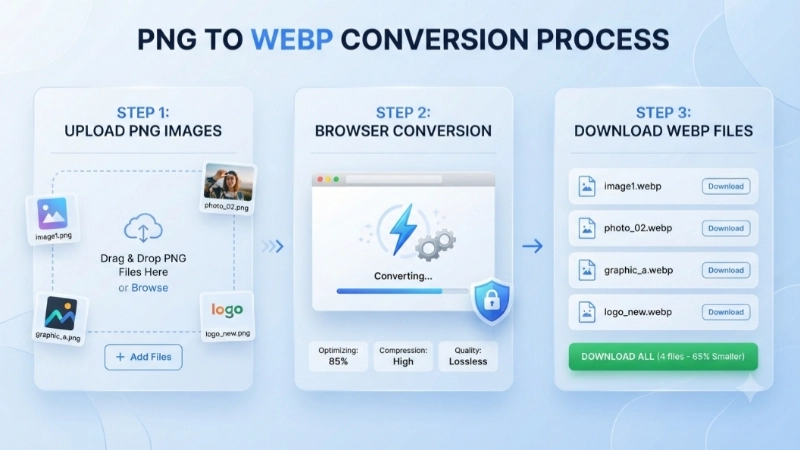
Step 1: Click the upload box and select your PNG files. You can pick one or many – the bulk png to webp feature handles them all.
Step 2: Hit the blue "Convert PNG to WebP" button. Wait about 5 seconds while your browser does the magic.
Step 3: Each converted WebP gets its own download button. Click them one by one, or use the green "Download All WebP Files" button to get every file at once (they download separately, no ZIP).
Why you'll love this PNG to WebP converter
Exact same dimensions – Your WebP matches the original PNG size perfectly.
Transparency preserved – Logos, icons, graphics with transparent backgrounds look identical.
Batch convert – Do 50 files at once. The png to webp bulk option saves hours.
100% private – No upload. Your images never leave your computer.
Free forever – No sign-ups, no credit cards, no limits.
Works everywhere – Phone, tablet, laptop – any browser.
PNG vs WebP – which one should you use?
Use PNG when: You need maximum compatibility with old software, or you're printing images. PNG is universal.
Use WebP when: You're putting images on a website, sending via email, or storing photos. WebP gives same quality at 30% smaller size. That means faster loading and less storage.
That's why I built this convert png to webp free tool – to help people make the switch without losing anything.
Frequently asked questions about PNG to WebP
⚡ Image Optimizer – more free tools You Might Need
Check these other free Quickly your photos, pictures – most popular tools all private, no upload
📖 Latest from our Blog
PNG to WebP Converter: The Complete Guide to Faster, Lighter Images
It’s one of the smartest, easiest swaps you can make for better website performance. In this guide, I’ll explain what WebP is, why it matters, and how to convert PNG to WebP online in seconds—completely free.👉Read more ?
PNG to WebP Converter Online Free: The Complete Beginner’s Guide
If you’re here because you searched for an online PNG to WebP converter, you’re probably facing a similar problem. Your images are too big, your website is slow, or you just want to make your files smaller without losing quality. I’ve been there, and I’m going to show you exactly how to fix it.👉Read more ?
Best Free Image Tools for Students in India (2026 Guide)
There are amazing free image tools available for students in India. Some are completely free. Some are free through your college. And some are built specifically for Indian students.👉Read more ?