
📐 Resize Image Online in KB – Bulk Resize Photos & Target File Size
image resize • bulk image resizer • resize image in kb • maintain aspect ratio
Set exact width/height, keep proportions, or specify a target KB. JPG, PNG, WEBP – Multiple Image Resizer processing, free, private.
📂 Choose images (0)
tap or drag & drop – supports batch🔒 Privacy – no upload
All resizing happens directly in your browser. Your images never leave your device. No servers, no tracking. 100% private.
Why I built this bulk resizer
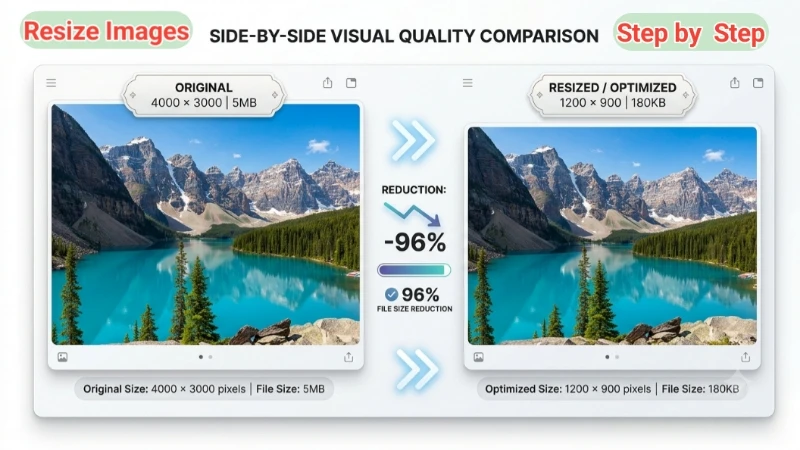
I sell pottery online. My product photos were huge – 4000x3000, 5MB each. My store was slow, customers left. I needed a way to resize multiple images at once, keep them sharp, and sometimes target a specific file size (like under 200KB for email). Existing tools either uploaded to shady servers or couldn't do batch. So I built this. It lets me set width/height, lock aspect ratio, and even enter a KB target – it automatically tweaks quality to get close. I use it every week. My neighbour the photographer uses it to resize proofs. Hope it helps you too.
– Naresh, creator of TopImageFixer
How to resize images – step by step (like I'm showing you)
I’ve done this hundreds of times, so let me walk you through it like you're sitting next to me.
Step 1 – Pick your photos: Click the upload area and select all the images you want to resize. You can mix JPG, PNG, WEBP – the tool handles them.
Step 2 – Set your dimensions: Enter the width and height you need. If you want to keep the original shape, keep "Maintain aspect ratio" checked.
Step 3 – Optional: target file size: Need images under 200KB? Type 200 here. The tool plays with quality until it gets as close as possible.
Step 4 – Hit "Resize Images Now": The tool does everything in your browser. Download individually or grab the whole ZIP.
That's it. No confusing settings. I made this exactly how I wanted it for myself – simple and private.
Frequently Asked Questions (FAQ)
⚡ Image Optimizer – more free tools You Might Need
Check these other free Quickly your photos, pictures – most popular tools all private, no upload
📖 Helpful Articles From read our Blog
How to Blur Faces in Photos: The Complete Beginner-Friendly Guide
In this guide, We’ll cover why you should blur faces, different easy methods (from phone apps to online tools), practical tips, and my favorite free recommendation. 👉Read more ?
WebP vs JPG File Size Comparison: Which One Saves More Space?
Is WebP really better than JPG? How much space can I actually save? And most importantly, will I lose quality?👉Read more ?
How to Resize Image for Amazon: Complete Beginner’s Guide (2026)
I will show you exactly how to resize image for Amazon the right way. You do not need Photoshop. You do not need to be a designer. Just follow my step-by-step guide.👉Read more ?