
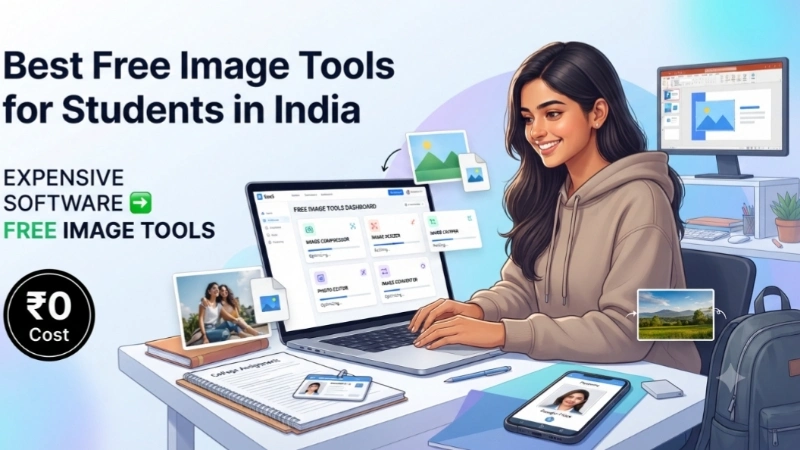
You are a student in India. You have assignments to submit, projects to create, and presentations to prepare. And you need to edit images, resize photos, or create graphics. But you do not have money for expensive software.
I have been there. I know the struggle.
The good news? There are amazing free image tools available for students in India. Some are completely free. Some are free through your college. And some are built specifically for Indian students.
Today, I will show you the best free image tools for students in India. No expensive subscriptions. No watermarks. Just tools that actually work.
Let me walk you through this like I am helping a friend.
The Game Changer: Adobe Tools Now Free for Indian Students
Here is news that changes everything. Adobe just made its flagship tools completely free for Indian students .
At the India AI Impact Summit in New Delhi, Adobe announced that students in India can now access Photoshop, Acrobat, and Firefly AI at no cost through accredited higher education institutions .
What you get for free:
- Photoshop: The industry standard for image editing. Remove backgrounds, retouch photos, and use AI-powered Generative Fill .
- Acrobat Pro: Create, edit, and convert PDF documents. Edit text and images directly within a PDF .
- Firefly AI: Adobe’s AI creative platform. Generate images from text, add or remove elements from photos, and create text effects .
This free offer will be rolled out across 15,000 schools and 500 colleges in India . Check with your college to see if you are eligible.
Why this matters: Adobe’s tools are widely used across industries. Knowing them is a genuine advantage when entering the job market .
Free Photoshop Alternatives (For When You Don’t Have Adobe)
Not every college has signed up for Adobe’s free program yet. Here are the best free alternatives.
Photopea (Browser-Based)
Photopea closely replicates the Photoshop interface and feature set in a web browser .
Why students love it:
- Opens and saves PSD files natively
- Supports layers, blend modes, masks, and smart objects
- No installation, account creation, or licensing needed
- Works on Chromebooks and shared computer labs
Limitations: Very large or complex files may strain browser memory. Some AI features are not available .
GIMP (Desktop)
GIMP is a mature, full-featured open-source image editor .
Why students love it:
- Layers with blend modes
- Advanced selection tools
- Customizable brushes
- Extensive plugin ecosystem
- Can be installed on any number of computers with no licensing cost
Limitations: The interface is different from Photoshop. No native CMYK support (workarounds exist) .
Picsart (Browser & Mobile)
Picsart brings together photo editing tools, AI features, and customizable templates in a simple layout .
Why students love it:
- Easy to learn and use
- Large library of templates
- AI Image Enhancer for fixing low-quality images
- Background Remover with one click
- Works on the web, desktop, and mobile
Limitations: Some premium features require a paid plan.
Free Image Compressors and Resizers

Every student needs to compress or resize images sometimes. Here are the best free tools.
Top Image Fixer
Top Image Fixer offers a complete suite of free image tools. You can compress JPG and PNG images, resize photos, crop images, add watermarks, and convert formats.
Why students love it:
- All tools are free
- No account needed
- Works in your browser
- Batch processing available
Use the Image Reducer tool to compress images without losing quality. Use the Resizer Image tool to resize photos for assignments or forms.
DocSet (100% Local, Made in India)
DocSet is a growing suite of free, browser-based tools built specifically for Indian students .
Why students love it:
- Runs 100% locally in your browser — no files are ever uploaded to any server
- AI-powered face detection for passport photos (NEET, SSC, UPSC)
- Resize signatures to exact Aadhaar specifications
- Convert Unicode to Kruti Dev for Hindi typing exams
What the creator says: “I built DocSet because I watched students around me pay ₹20-50 at cyber cafes just to resize a photo for their NEET or SSC exam form. That felt wrong.”
PixelPress (Android App)
PixelPress is an offline image compressor and resizer for Android .
Why students love it:
- Reduces large photos to 50-200KB in seconds
- Works completely offline — no uploads, no data tracking
- Perfect for passport forms, university submissions, and job portals
- Resize photos for WhatsApp, Telegram, or Instagram
Image Compressor Studio (iPhone)
Image Compressor Studio is an offline image compression app for iOS .
Why students love it:
- Compress, resize, and convert images
- Export to JPG, PNG, WEBP, and PDF
- Works 100% offline — no uploads, no servers, no data tracking
- Designed for students and professionals
Image Prompt 1 (For inside the article)
“A simple visual showing two phones side by side. Left phone shows a student struggling with an image that is too large for an online form. Right phone shows the same student successfully submitting the form after using a free image tool. Text below: ‘Free tools. Easy fixes. No stress.’ Clean, friendly, very beginner-friendly.”
Place this image after the “Free Image Compressors and Resizers” section. It shows the transformation visually.
Free Design and Graphic Tools
Canva (Free Tier)
Canva is a template-driven design platform for creating social media graphics, presentations, posters, and more .
Why students love it:
- Thousands of free templates
- Drag-and-drop editor
- Access to stock photos, icons, and fonts
- Works on browser and mobile
Limitations: No custom vector path editing. Some premium templates require a paid plan .
Figma (Free Education Plan)
Figma is a browser-based design tool with real-time multi-user collaboration .
Why students love it:
- Vector editing and prototyping
- Real-time collaboration with team members
- Figma for Education provides free access to the full Professional plan
- Unlimited files and unlimited version history for verified students
Inkscape
Inkscape is a free, open-source vector graphics editor .
Why students love it:
- Pen tool with node editing
- Boolean path operations
- Text on path and pattern fills
- Export to SVG, PDF, EPS, and PNG
- Commonly used in higher education for teaching vector graphics fundamentals
AI Tools for Photo Enhancement
Remini AI
Remini specializes in fixing blurry, pixelated, or low-resolution images .
Why students love it:
- Especially good at making faces look clear and natural
- Works on both mobile app and website
- Dramatically sharpens faces in portraits
Picsart AI Image Enhancer
Picsart’s AI Image Enhancer can clean up noise, fix blur, and brighten details .
Why students love it:
- One-click improvement
- Helpful for old photos, product shots, or social images
- Free tier available
Image Prompt 2 (For near the common mistakes section)
“A simple illustration showing a student working on a laptop with multiple browser tabs open. Each tab shows a different free image tool. The student looks relieved and productive. Text below: ‘Free tools. No budget. No problem.’ Clean and simple.”
Place this image near the “Common Mistakes” section. It shows what students can achieve.
Common Mistakes When Using Free Image Tools
Let me save you from the mistakes I have made.
Mistake #1: Not checking file size limits
Many online forms have file size limits. Always check before submitting.
Mistake #2: Forgetting to save the original
Keep the original image. You might need it later.
Mistake #3: Using a tool that adds watermarks
Some “free” tools add watermarks. Use reputable tools.
Mistake #4: Not checking the output quality
Always open the compressed or resized image and check it looks okay.
How to Choose the Right Tool
With so many options, how do you choose? Here is a simple guide.
| What You Need | Best Tool |
|---|---|
| Professional image editing | Adobe Photoshop (free for students) or Photopea |
| Quick photo fixes | Picsart or Snapseed |
| Compress images | Top Image Fixer or DocSet |
| Passport photos for exams | DocSet (with AI face detection) |
| Design graphics | Canva or Figma |
| Vector graphics | Inkscape |
| Fix blurry photos | Remini or Picsart AI Enhancer |
| Resize for Aadhaar/PAN | DocSet |
Internal Linking Suggestions
While reading this article, you can link to these other helpful pages on your website:
- Top Image Fixer – Image Reducer (for compressing images)
- Top Image Fixer – Resizer Image (for resizing images)
- Top Image Fixer – Image Cropper (for cropping images)
Place these links naturally.
FAQs About Best Free Image Tools for Students in India
1. What is the best free Photoshop alternative for students?
Photopea is the best browser-based alternative. It opens PSD files and mimics Photoshop’s interface . GIMP is the best desktop alternative.
2. Is Adobe Photoshop really free for Indian students?
Yes. Adobe announced at the India AI Impact Summit that Photoshop, Acrobat, and Firefly AI will be available at no cost to students through accredited higher education institutions .
3. What free tool can I use to resize photos for government exams?
DocSet is built for Indian students. It offers AI-powered face detection for passport photos for NEET, SSC, and UPSC exams. It runs 100% locally — your files never leave your device .
4. How do I compress images without losing quality?
Use Top Image Fixer’s Image Reducer tool, PixelPress (Android), or Image Compressor Studio (iPhone). They compress images while maintaining quality.
5. What free tool can I use to convert Kruti Dev fonts?
DocSet offers Unicode to Kruti Dev conversion for Hindi typing exams .
6. Is Picsart really free?
Picsart has a generous free tier with basic editing tools, templates, and AI features. Some premium features require a paid plan .
7. Can I use Figma for free as a student?
Yes. Figma for Education provides verified higher education students with free access to the full Professional plan, including unlimited files and unlimited version history .
8. What free tool can I use to fix blurry photos?
Remini AI specializes in fixing blurry, pixelated, or low-resolution images . Picsart AI Image Enhancer also works well.
9. Are free image tools safe to use?
Most reputable free tools are safe. DocSet and Switch Labs process images 100% locally — your files never leave your device . PixelPress and Image Compressor Studio are also offline.
10. What free tool can I use on my phone?
PixelPress (Android) and Image Compressor Studio (iPhone) work offline. Picsart and Canva also have mobile apps.
A Quick Story: How These Tools Saved My Project
When I was in college, I needed to submit a passport-sized photo for an exam form. The form required the photo to be under 100 KB. My photo was 5 MB.
I had no idea how to make it smaller. I paid ₹20 at a cyber cafe to resize it.
Then I learned about free tools. Now I can compress and resize photos in seconds. No more paying for something I can do myself.
That is why I am sharing this with you. These tools are free. They are easy to use. And they save you money.
Conclusion: Your Action Plan
You now know the best free image tools for students in India. Let me give you a simple action plan.
Step 1: Check if your college offers free Adobe tools. If yes, start using Photoshop, Acrobat, and Firefly.
Step 2: Bookmark Top Image Fixer for compressing and resizing images.
Step 3: Bookmark DocSet for passport photos and government exam forms.
Step 4: Download PixelPress (Android) or Image Compressor Studio (iPhone) for offline compression.
Step 5: Use Picsart or Canva for quick designs and graphics.
That is it. Your image editing problems are solved.
Final Words From Me
Look, you do not need to spend money on expensive software. There are amazing free tools available for Indian students. Some are free forever. Some are free through your college.
Now you know exactly where to go.
So go ahead. Edit that photo. Compress that image. Submit that form. Create that design.
Your free tools are waiting. Go use them.