
📄 Compress PDF File to Smaller Size - Compress PDF Multiple Files
compressed pdf converter • compress pdf file to small size • bulk pdf compressor • pdf lower size convert
Easily compress PDF for free online. Reduce file size without losing quality. 100% private, no upload.
Upload PDFs (0)
Select multiple PDFs for batch compression🔒 Your privacy matters
I'm Naresh, and I built this tool because I hated uploading my business contracts to random sites. Everything runs in your browser. No upload, no cookies, no tracking. Your documents never leave your computer.
What Is PDF Compression?
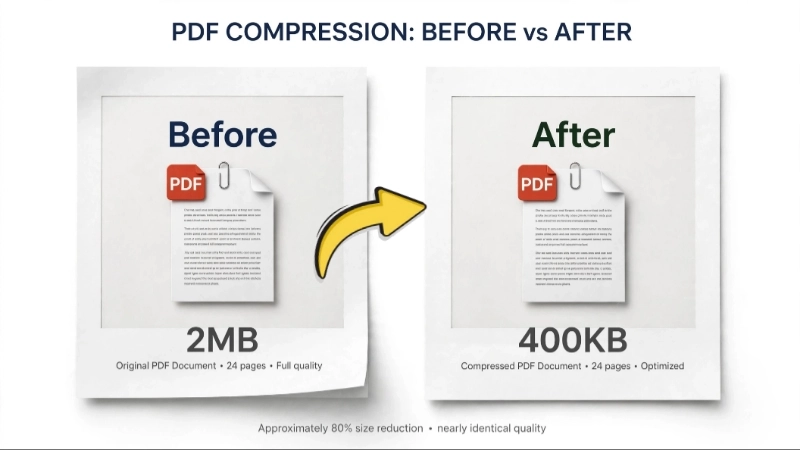
PDF compression makes your PDF file smaller by reducing the size of images and streamlining internal data. Think of it like packing a suitcase efficiently – you keep all essential items but remove excess air. When you compress a PDF, the text (vector-based) stays sharp, while images are optimized using smart algorithms.
For example, a 15MB brochure with high-resolution photos can shrink to 3–4MB at 70% compression – perfect for email. Whether you're a student, business owner, or just someone dealing with PDFs daily, compression helps you share faster.
How to use this bulk pdf compress tool
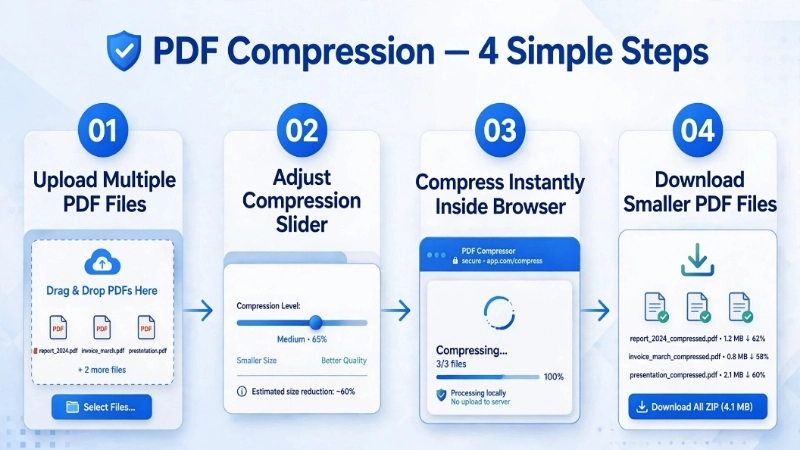
1. Click the box & select multiple PDFs (I often compress 15 at once).
2. Slide the compression – 70-80% works great for most.
3. Hit compress and wait a few seconds.
4. Download each PDF individually OR click the green "Download all compressed PDFs" button – it triggers separate downloads for each file, no zip.
Pro tip: For email attachments, 70-75% is the sweet spot.
⚖️ Online PDF Compressor vs Desktop Software
| Feature | Online PDF Compressor | Desktop Software |
|---|---|---|
| Installation | Not required | Required |
| Accessibility | Works on all devices | Limited to installed device |
| Bulk Compression | Yes | Yes |
| Security | Local (depends on tool) | Full local control |
When to use adobe online pdf compressor alternatives?
I built this because Adobe's tool sometimes requires sign-in. Here, you just drag. If you need to compress the file size of pdf for email, 70% is your friend. For archiving, maybe 40%. And if you want online pdf compressor online that's truly private, you're in the right place.
Why You Need a PDF Compressor Online
Many platforms have strict file upload limits (5MB, 10MB, 20MB, etc.). Large PDF files can create problems such as:
- Email attachment rejection
- Slow upload speeds
- Increased storage usage
- Website submission errors
Common use cases: Compress resume before job application, reduce scanned documents for email, shrink academic assignments for submission, prepare PDFs for website upload.
Frequently Asked Questions (FAQ) - PDF Files Compressor
⚡ Image Optimizer – more free tools You Might Need
Check these other free Quickly your photos, pictures – most popular tools all private, no upload
📖 Helpful Articles From read our Blog
How to Compress a PDF for Email: The Ultimate Guide to Sending Large Files
It makes you feel helpless. Especially when you are not a tech person. but here is the good news. Fixing this is actually very simple. You just need to know how to compress a PDF for email.👉Read more ?
Reduce PDF File Size Without Losing Quality: The Complete Guide
The good news? There are many ways to reduce pdf file size without losing quality. Some take seconds. Others give you more control. All of them work. whether you have Adobe Acrobat, a free online tool, or just your phone, I have got you covered.👉Read more ?
How to Compress Photos for WhatsApp Sharing (Without Losing Your Mind)
There are ways around this. You can compress photos for WhatsApp sharing in a way that keeps them clear. Or you can bypass WhatsApp’s compression entirely. I will show you exactly how to do.👉Read more ?