
🌀 Image Blur Converter Online – Gaussian, Motion & Radial Blur for Photos
blur picture online • gaussian blur • motion blur • radial blur • bulk photo blur converter
Professional blurry effects for JPG, PNG, WEBP, AVIF – apply advanced blur effects with adjustable intensity. Free, fast & secure.
Upload Images (0)
Supported: JPG, PNG, WEBP, AVIF, SVG, BMP, GIF, TIFF🔒 Your privacy matters – real talk
We do not store any images. Unlike other image blur converter online tools that upload to servers, everything runs in your browser. Your blurry photos never leave your device. That's the promise I made when building this.
Why I built this bulk image blur converter (my story)
Hey, I'm Naresh – creator of TopImageFixer and a small online store owner. A couple years back, I was photographing handmade pottery for my shop. The photos were good, but the cluttered workshop background distracted from my beautiful pots. I needed to blur picture online backgrounds, but every tool either uploaded my images to unknown servers or limited me to one photo at a time. So I built my own.
Now I use it every week. My cousin Priya, a wedding photographer, uses it to blur faces in reception photos for privacy. My neighbor, a real estate agent, blurs addresses in property listings. What started as my personal need became something thousands use daily. No uploads, no sign-ups, just drag, blur, download.
– Naresh, creator of TopImageFixer
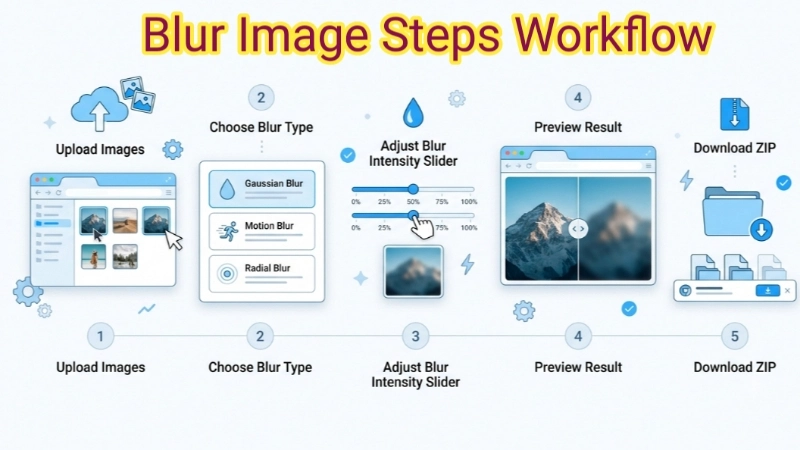
How to blur image online in 4 steps
1. Upload: Click the area above or drag your photos. Supports JPG, PNG, WEBP, AVIF – we keep original format.
2. Choose blur type: Gaussian blur for soft backgrounds, motion blur for speed effects, radial blur for zoom, or box blur for quick privacy.
3. Adjust intensity: Slide to control strength. For subtle blurry effects, keep 3-8. For artistic, go higher.
4. Download: Click each image or "Download All" to save all at once. Files save with "_blurred" added.
What makes this image blur tool different? (I'll tell you honestly)
Most free tools upload your photos to their servers. That always bothered me. So when I built this blur image converter, I made sure it does things differently.
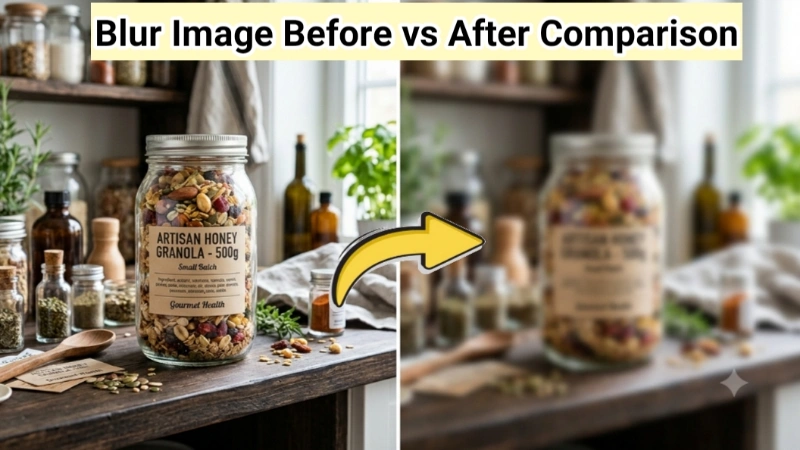
Frequently Asked Questions (FAQ) - Image Blur
⚡ Optimizer – more free tools You Might Need
Check these other free Quickly your photos, pictures – most popular tools all private, no upload
Helpful Articles From read our Blog
How Do You Blur a Photo: Super Easy Guide for Beginners (2026)
In this complete guide, I’ll show you simple, practical ways to blur photos — from your phone to free online tools. No complicated jargon, just straightforward steps that even complete beginners can follow..👉Read more ?
How to Add Blur Effect for Photos: the Secret to Beautiful Photos (Beginner’s Guide)
blur effects are not just for professional photographers with expensive cameras. Anyone can do it. You can do it. Right now. On your phone or computer. For free.👉Read more ?
Stop Resizing Images One by One! Here’s How to Batch Resize Images Like a Pro
I am going to teach you the same trick. Whether you have 10 photos or 1,000 photos, you will learn how to resize them all at once. No more repetitive clicking. No more wasted evenings.👉Read more ?