
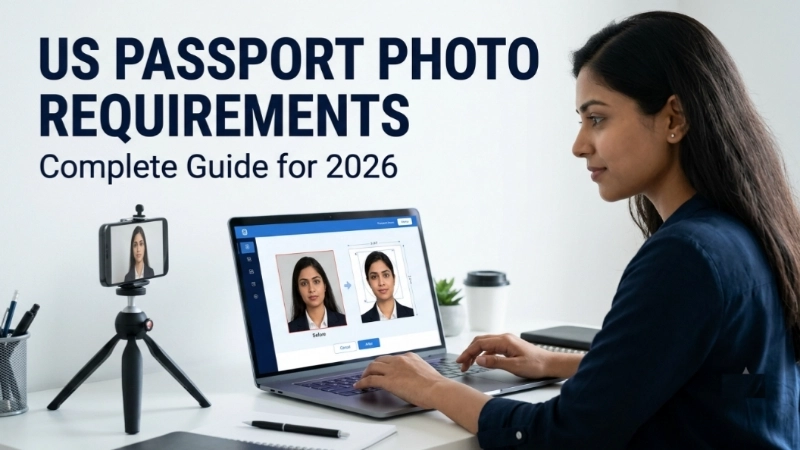
Have you ever had your passport application rejected because of a bad photo? I have seen it happen to so many people. You fill out all the forms correctly. You pay the fees. You wait for weeks. Then boom – rejection letter. All because your photo did not meet the us passport photo requirements.
Frustrating, right?
But here is the good news. After reading this guide, you will never face that problem again. I will explain every single us passport photo requirement in simple English. No confusing legal language. Just clear, practical advice.
And yes, I will also show you a free tool on Top Image Fixer that helps you create a perfect online us passport photo in seconds.
Let me break this down like I am talking to a friend who is applying for their first passport.
Why US Passport Photo Requirements Are So Strict
Before I list all the us passport photo requirements, let me explain why the US government is so picky.
Your passport photo is used for facial recognition at airports and border crossings. If your photo does not meet the standards, the computers cannot recognize you. That creates security risks and long delays.
The US Department of State processes millions of passport applications every year. They have learned exactly what works and what does not. So they created strict us passport photo requirements to ensure every photo works with their systems.
Follow these rules, and your application moves smoothly. Break even one rule, and you face delays or rejection.
Now let me tell you exactly what are us passport photo requirements so you can get it right the first time.
US Passport Photo Requirements: The Complete List
Let me give you the complete us passport photo requirements in one easy table. Save this for reference.
| Requirement | Detail |
|---|---|
| Photo size | 2 x 2 inches (51 x 51 mm) |
| Head size | 1 inch to 1 3/8 inches (25 to 35 mm) from chin to top of head |
| Background | Plain white or off-white |
| Recency | Taken within last 6 months |
| Smile | Neutral expression, no smiling |
| Eyes | Open and visible |
| Glasses | Not allowed (since 2016) |
| Head coverings | Only for religious or medical reasons |
| Uniforms | No uniforms or camouflage |
| Photo quality | High resolution, no shadows, no glare |
| Paper | Matte or glossy photo quality paper |
| Printing | No digital alterations |
These are the official us passport photo requirements from the US Department of State. Follow every single one.
Now let me explain each rule in detail so you understand exactly what are us passport photo requirements for your specific situation.
US Passport Photo Size: The Most Important Rule
The most critical us passport photo requirement is the size. Get this wrong, and your application will definitely be rejected.
Here is exactly what you need:
- Overall photo size: 2 x 2 inches (51 x 51 mm)
- Head height: 1 inch to 1 3/8 inches (25 to 35 mm) from chin to top of head
- Eye position: Between 1 1/8 inches and 1 3/8 inches from bottom of photo
When you create an online us passport photo, most tools automatically check these measurements. But if you take the photo yourself, measure carefully.
A simple way to check: Your head should take up about 50-70% of the photo. Not too small. Not too big. Just right in the center.
This us passport photo size rule is non-negotiable. Follow it exactly.
Background Requirements: Pure White Is the Goal
Another strict us passport photo requirement is the background.
Your background must be:
- Plain white or off-white
- No patterns, no textures, no shadows
- No other people or objects
- No gradients (no dark at top, light at bottom)
The best way to get this right? Stand in front of a plain white wall. Make sure the light is even across the whole wall. No shadows behind you.
If you use an online us passport photo tool like Top Image Fixer, it can automatically adjust your background to pure white. Very helpful if your home does not have perfect white walls.
Facial Expression: No Smiling Allowed
This surprises many people. The us passport photo requirements say you cannot smile.
Here is the rule: Neutral expression with both eyes open and mouth closed. You can have a natural, relaxed face. But no big smile showing teeth.
Why? Because facial recognition software works better with neutral expressions. Smiling changes the shape of your face too much.
Also keep your eyes looking straight at the camera. No looking left, right, up, or down.
So when you take your us passport photo, think calm and neutral. Like you are waiting in line at the DMV. Not happy, not sad. Just neutral.
Glasses and Head Coverings: New Rules
The us passport photo requirements changed in 2016 regarding glasses. Let me explain.
Glasses: Not allowed anymore. Even if you wear glasses every day, remove them for your passport photo. The only exception is if you have a medical reason and submit a signed statement from a doctor.
Head coverings: Generally not allowed. But you can wear a head covering for religious or medical reasons. Examples include hijab, turban, or medical wig. However, your full face must be visible from chin to forehead. No shadows on your face.
If you wear a head covering for religious reasons, you must submit a signed statement explaining your normal practice.
These us passport photo requirements are strict but fair. They ensure everyone’s photo works for security purposes.
Image Prompt 1 (For inside the article)
“A simple diagram showing a 2 x 2 inch square photo outline. Inside the square, a line from chin to top of head measures 1 inch to 1 3/8 inches. Another line from bottom of photo to eyes measures 1 1/8 inches. Clean white background. No actual person shown, just measurements and lines. Very beginner-friendly.”
Place this image right after the “US Passport Photo Size” section. It helps visual learners understand the exact us passport photo size measurements.
How to Take a US Passport Photo at Home
You do not need to go to a pharmacy or shipping store. You can create your own online us passport photo at home. Here is how.
What you need:
- A smartphone or digital camera (at least 5 megapixels)
- A plain white wall
- Good, even lighting (natural light works best)
- A friend to take the photo (no selfies allowed)
Step-by-step process:
- Stand 3-4 feet away from the white wall
- Face the camera straight on
- Keep your head level (not tilted)
- Neutral expression, mouth closed
- Eyes open and looking directly at camera
- Have your friend take the photo from chest level
- No shadows on your face or wall
That is it. Once you have the photo, use an online us passport photo tool like Top Image Fixer to crop it to the correct us passport photo size.
Common Mistakes That Get Passport Photos Rejected
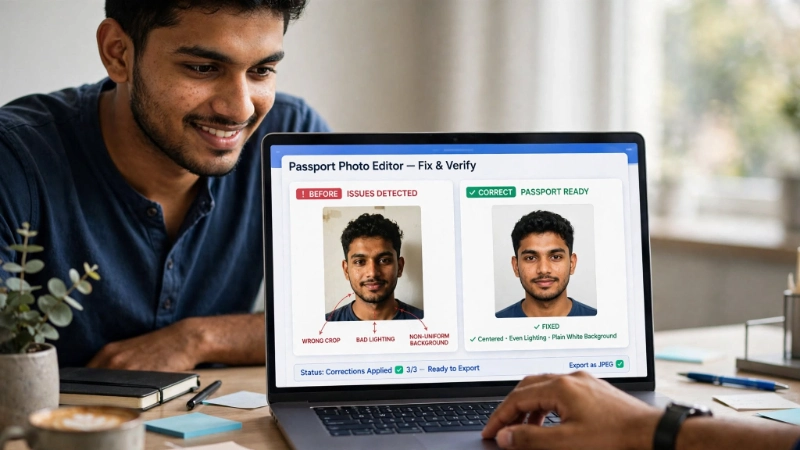
Let me save you from the most common mistakes. I have seen all of these cause rejections.
❌ Mistake 1: Photo too dark or too bright
Your face must be clearly visible. No shadows. No glare on forehead or cheeks.
❌ Mistake 2: Head too small or too large
Remember the us passport photo size rule: Head height 1 to 1 3/8 inches.
❌ Mistake 3: Smiling or weird expression
Neutral face only. No smiling, frowning, or raised eyebrows.
❌ Mistake 4: Background not pure white
Off-white might be rejected. Pure white is safest.
❌ Mistake 5: Hair covering eyes or eyebrows
Your full face must be visible. Tie back long hair.
❌ Mistake 6: Red eye or camera flash reflection
Use natural lighting to avoid red eye.
❌ Mistake 7: Photo printed on regular paper
Must be photo quality paper (matte or glossy).
Avoid these mistakes, and your us passport photo requirements will be fully satisfied.
Using Top Image Fixer for US Passport Photos
Now let me tell you about the easiest way to meet all us passport photo requirements.
Top Image Fixer has a free Passport Size Photo tool that does everything for you.
Here is how to create your online us passport photo using this tool:
- Visit Top Image Fixer website
- Find the Passport Size Photo tool
- Upload the photo you took at home
- The tool automatically:
- Crops to 2 x 2 inches
- Adjusts head size to the correct measurement
- Fixes background to pure white
- Removes shadows
- Download your perfectly formatted us passport photo
That is it. No measuring. No guessing. No expensive trips to the store. Just a perfect photo ready for your application.
I have recommended this tool to dozens of friends. Every single one got their passport approved on the first try.
👉 Pro tip: Use Top Image Fixer’s Passport Size Photo tool for every family member. It works for adults, children, and babies.
US Passport Photo Requirements for Babies and Children
The us passport photo requirements for children are slightly different. Let me explain.
For babies (under 1 year):
- Baby can have mouth open
- Baby does not need to look directly at camera
- Baby can be in a car seat (with white sheet behind)
- No toys, pacifiers, or other people in photo
For children (1-16 years):
- Same rules as adults
- Neutral expression, eyes open
- White background
- No glasses
Many parents struggle with baby passport photos. Here is my advice: Use Top Image Fixer’s online us passport photo tool. It helps you crop and adjust even difficult baby photos.
Image Prompt 2 (For near the baby passport photo section)
“A simple illustration showing a baby in a car seat with a white sheet draped behind. A smartphone on a tripod takes the photo. A small checkmark icon shows the photo meets us passport photo requirements. Clean, friendly, not scary for new parents.”
Place this image near the babies and children section. It helps nervous parents understand how to take a proper baby passport photo.
Where to Get US Passport Photos (If You Don’t Want DIY)
Not everyone wants to take their own photo. That is fine. Here are your options for getting a us passport photo that meets all requirements.
| Location | Cost | Quality | Time |
|---|---|---|---|
| CVS Pharmacy | $15-20 | Good | 1 hour |
| Walgreens | $15-20 | Good | 1 hour |
| Walmart | $7-10 | Good | 1 hour |
| Post Office | $15-20 | Very good | Same day |
| UPS Store | $15-20 | Good | Same day |
These stores know the us passport photo requirements well. They will make sure your photo is correct.
But if you want to save money and do it at home, use Top Image Fixer’s free online us passport photo tool. It costs nothing and takes 2 minutes.
Digital vs Printed Photos: What Does US Passport Require?
The us passport photo requirements differ slightly for online applications vs paper applications.
For online renewal (if eligible):
- Upload a digital photo
- File format: JPEG
- File size: Between 5 KB and 10 MB
- Resolution: At least 600 x 600 pixels
For paper application (most people):
- Print two identical photos
- 2 x 2 inches on photo quality paper
- Matte or glossy finish
- No digital alterations
Most people still need printed photos. But you can create your digital photo using Top Image Fixer’s online us passport photo tool, then print it at home or at a store.
US Passport Photo Validity: How Old Can Your Photo Be?
Another important us passport photo requirement is recency.
Your photo must be taken within 6 months of your application date. You cannot use an old photo from last year, even if you look the same.
The government wants a recent photo that shows your current appearance. If you have grown a beard, lost weight, or changed your hair significantly, a new photo is even more important.
So take a fresh photo for every passport application. Do not reuse old photos.
Internal Linking Suggestions
While reading this article, you can link to these other helpful pages on your website:
- Top Image Fixer – Passport Size Photo Tool (main tool link)
- Top Image Fixer – Resizer Image Tool (for other photo sizing needs)
- Top Image Fixer – Image Reducer (for compressing digital passport photos)
Place these links naturally. For example:
“Earlier I explained all us passport photo requirements. If your digital photo is too large for online submission, use our free Image Reducer tool to compress it without losing quality.”
FAQs About US Passport Photo Requirements
1. What are the exact US passport photo requirements for size?
2 x 2 inches (51 x 51 mm). Head height must be 1 to 1 3/8 inches from chin to top of head.
2. Can I smile in my US passport photo?
No. Neutral expression with mouth closed. No smiling showing teeth.
3. Can I wear glasses in my passport photo?
No. Glasses are not allowed since 2016. Only medical exceptions with doctor’s note.
4. What color background is required?
Plain white or off-white. No patterns, shadows, or gradients.
5. Can I take my own passport photo at home?
Yes. Use a white wall, good lighting, and a friend to take the photo. Then use Top Image Fixer’s Passport Size Photo tool to get the dimensions right.
6. How recent must my passport photo be?
Taken within the last 6 months of your application date.
7. Can I wear a hijab or turban in my passport photo?
Yes for religious reasons. Your full face must be visible from chin to forehead. No shadows on face.
8. What happens if my passport photo is rejected?
Your application will be delayed. You will need to submit a new photo. That means extra time and possibly extra fees.
9. Can I use a selfie for my passport photo?
No. Selfies distort facial proportions. Have someone else take your photo.
10. How many photos do I need for a US passport application?
Two identical printed photos for paper applications. One digital photo for online renewal.
US Passport Photo Requirements for Renewal vs New Application
The us passport photo requirements are the same whether you are renewing or applying for the first time.
- Same 2 x 2 inch size
- Same white background
- Same neutral expression
- Same recency rule (within 6 months)
The only difference is how you submit:
- First-time applicants: Must submit printed photos with paper application
- Renewal by mail: Must submit printed photos
- Online renewal (if eligible): Upload digital photo
No matter which method you choose, your photo must meet all us passport photo requirements.
How to Print US Passport Photos at Home
You have taken a perfect photo and used Top Image Fixer to crop it correctly. Now you need to print it.
Here is how to print us passport photos at home:
- Use photo quality paper (matte or glossy)
- Set your printer to “photo” mode
- Print at actual size (not “fit to page”)
- Print two identical copies
- Cut carefully along the edges
Make sure your printer is not running out of ink. Low ink can cause color issues that get your photo rejected.
If you are unsure, print at a store like CVS or Walmart. It costs a few dollars but gives you peace of mind.
State Department Official Resources
For the most official us passport photo requirements, always check the US Department of State website. But here is the summary they provide:
- 2 x 2 inches
- White background
- Neutral expression
- Taken within 6 months
- No glasses
- Full face visible
I have covered all of these in detail. But if you want to read the official source, search “US Department of State passport photo requirements”.
Conclusion: Your 10-Minute Action Plan
You now know every us passport photo requirement. Let me give you a simple action plan.
Step 1: Stand in front of a white wall with good lighting
Step 2: Have a friend take your photo (neutral expression, eyes open)
Step 3: Go to Top Image Fixer and open the Passport Size Photo tool
Step 4: Upload your photo and let the tool crop it perfectly
Step 5: Print two copies on photo quality paper
Step 6: Attach to your application and submit
That is it. 10 minutes. Zero stress. No rejection.
Do not let a bad photo delay your passport. You now know exactly what are us passport photo requirements. And you have a free tool to help you meet every single one.
Final Words From Me
I remember helping my grandmother with her passport application. Her first photo got rejected because the background was off-white. She was so frustrated. Then I found Top Image Fixer. We took a new photo, used their tool, and her passport arrived three weeks later.
That is why I am sharing this with you. I want your passport application to be smooth and stress-free.
So take that photo. Use the tool. Submit your application. And then book that trip you have been dreaming about.
Ready to create your perfect passport photo? Visit Top Image Fixer now and use their free Passport Size Photo tool.
One Last Reminder
Bookmark this article. Bookmark Top Image Fixer. Share this guide with anyone applying for a US passport. You will save them from rejection and frustration.
Your passport journey starts with the right photo. And you now know exactly how to get it.